

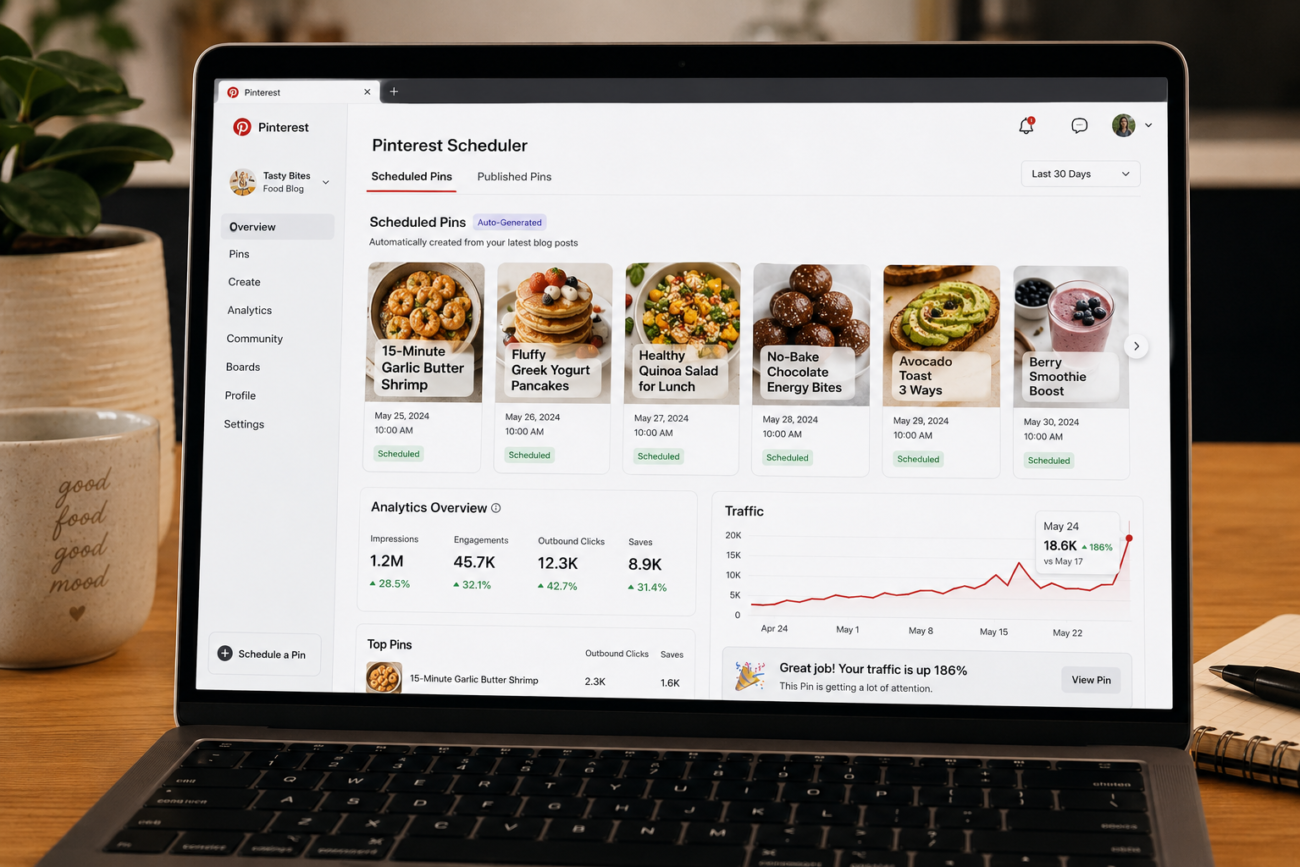
You’re Publishing Good Content. Pinterest Still Feels Like a Second Job.
You wrote the post. You designed the graphic. You logged into Pinterest, manually created three pins, picked a board, wrote a description, scheduled it — and then did it all over again for the next post.
If Pinterest is even on your radar as a blogger, you already know the promise: free, evergreen traffic from a search engine with 500+ million monthly users who actually buy things. But the gap between “I know I should be on Pinterest” and “Pinterest is my #1 traffic source” is almost always the same thing: the sheer time sink of doing it manually.
This post breaks down exactly how Pinterest automation works for bloggers, what separates tools that actually move the needle from ones that just schedule posts, and the fastest way to set up a system that runs while you’re focused on creating.
Why Manual Pinterest Strategies (and Basic Schedulers) Fall Short
Most bloggers who try Pinterest go through a predictable arc. They start manually — pinning everything by hand, reading guides about optimal times and board strategy, then burning out within a month. Then they try a basic scheduler to “set it and forget it.”
Here’s where basic schedulers break down:
- You still have to manually create each pin image and write each description
- You have to decide which board fits each post — and get it wrong often enough to hurt reach
- Scheduling 30 days of pins for a site with 80+ pages takes hours, not minutes
- You get zero visibility into which pins are actually generating clicks
The real problem isn’t discipline — it’s that the workflow was never built for a blogger who also has to write, edit, handle email, and run an actual business. What you need isn’t just a scheduler. You need a system that handles the content creation side too.
What Does “True Pinterest Automation” Actually Mean for Bloggers?
Real Pinterest automation isn’t just about scheduling. It’s about removing yourself from the entire content pipeline — not just the publishing step.
Here’s what a complete automation loop looks like:
This is the workflow that tools like BlogToPin are built around — not just “queue pins,” but handling everything from content generation to board selection to smart scheduling in one loop.
The difference between a Pinterest scheduler and a Pinterest automation tool is whether it handles the creative work or just the publishing. Most tools only do the latter.
How to Set Up a Pinterest Automation System for Your Blog
Whether you’re starting from scratch or trying to actually scale a Pinterest strategy you’ve half-started, here’s the practical flow:
Step 1: Audit your boards first. Before automating anything, make sure your Pinterest boards are organized by topic, not by post title. “Pasta Recipes,” not “My Blog Posts.” A well-organized board structure is what makes AI board-matching accurate.
Step 2: Pick your pin templates. You don’t need to design 40 templates. Two or three that match your brand will do — one clean text-overlay, one with a centered image, one collage-style if your niche is visual. Once set, these become the default for every new pin.
Step 3: Let the tool scan and populate your schedule. If you’re using a tool like BlogToPin, you point it at your website URL and it handles the rest — crawling your pages, generating pin content, assigning boards, and building a 30-day schedule. Setup takes minutes, not a weekend.
Step 4: Review before publishing. Automation doesn’t mean hands-off forever — a quick review of the generated pins before the schedule goes live lets you catch anything that doesn’t fit and make edits. Most users spend 10–15 minutes on this step monthly.
Step 5: Track what’s working. Good automation tools come with analytics that tell you which templates convert, which boards drive the most traffic, and which pins to prune. This is where strategy compounds over time.
What Kind of Results Can You Realistically Expect?
The results from BlogToPin users span a few consistent patterns. Bloggers who already had content but weren’t pinning consistently see the fastest lift — 6 to 8 weeks to noticeable organic traffic increases. Blogs in visual niches (food, home decor, travel, cocktails) tend to outperform, simply because Pinterest’s user base skews heavily toward those interests.
One user, CocktailWave, reported hitting over 1,000 organic clicks per day from Pinterest within a few months of automating. Another blogger doubled their Pinterest traffic within 6 weeks of switching to a fully automated schedule. These aren’t outliers — they’re what happens when consistent, keyword-aware pinning finally becomes sustainable.
What doesn’t work: expecting overnight results, or automating without having at least 15–20 pages of real content to pull from. Pinterest is a slow-burn search engine. The compounding effect is real, but it requires patience and consistency — which is exactly why automation matters. Manual effort doesn’t scale. A scheduled system does.
The Takeaway
Pinterest is still one of the few places where a small blog can get organic, buyer-intent traffic without paying for ads or playing the algorithm game on social media. But the gap between knowing that and actually getting that traffic has always been the workflow — creating, scheduling, and optimizing dozens of pins every single month.
The bloggers making it work aren’t pinning more manually. They’ve automated the entire pipeline: content generation, board selection, scheduling, and analytics. That’s what a true Pinterest automation tool does, and it’s what separates the blogs that plateau from the ones that show up in organic search results and drive consistent clicks.